No proxy settings
A Network Extension catches traffic at the system level. Your apps need no proxy configuration.
A macOS app for inspecting and debugging HTTP(S) traffic. It captures with a Network Extension, so your apps need no proxy settings.
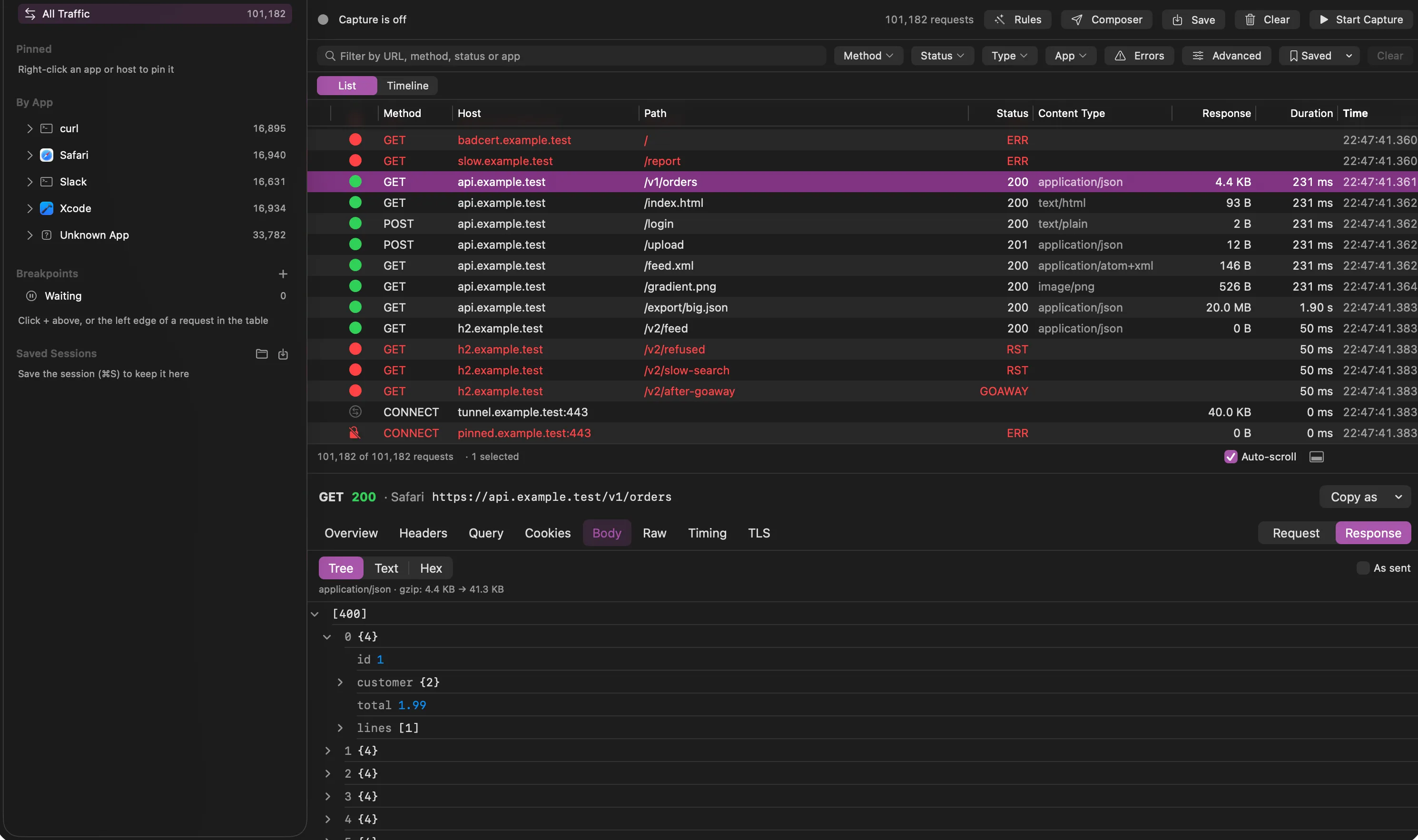
A Network Extension catches traffic at the system level. Your apps need no proxy configuration.
Capture only the apps you choose. Everything else keeps its normal network path, untouched.
If Puffin quits or crashes, traffic goes direct. It should never take your network down with it.
No telemetry. Your certificate key is unique to your install and never leaves the machine.
Puffin makes its own certificate authority on your Mac and decrypts only the hosts you list.
Each HTTP/2 stream is its own transaction. WebSocket messages are assembled and listed with direction and size.
A native table built for 100,000+ rows, with a sidebar by app and host, and filters.
Headers, query, cookies, body, raw, timing and TLS, with JSON, XML, form, image and hex viewers.
Save and reopen sessions, redact secrets, import and export HAR, and copy any request as cURL or code.
Map Local, Map Remote, Block and Rewrite rules, and breakpoints to pause and edit a request or response.
Filter on sizes, timings, headers and bodies, compare two requests side by side, and see a summary per host.
Replay a request, edit it first, or build one in the Composer and repeat it as many times as you need.
Simulator traffic is labelled by device, and Puffin can install its certificate into booted simulators.